We Have Defender – Isn't That Enough?
Frank writes about vulnerability management, patch operations, and Microsoft-native security workflows.
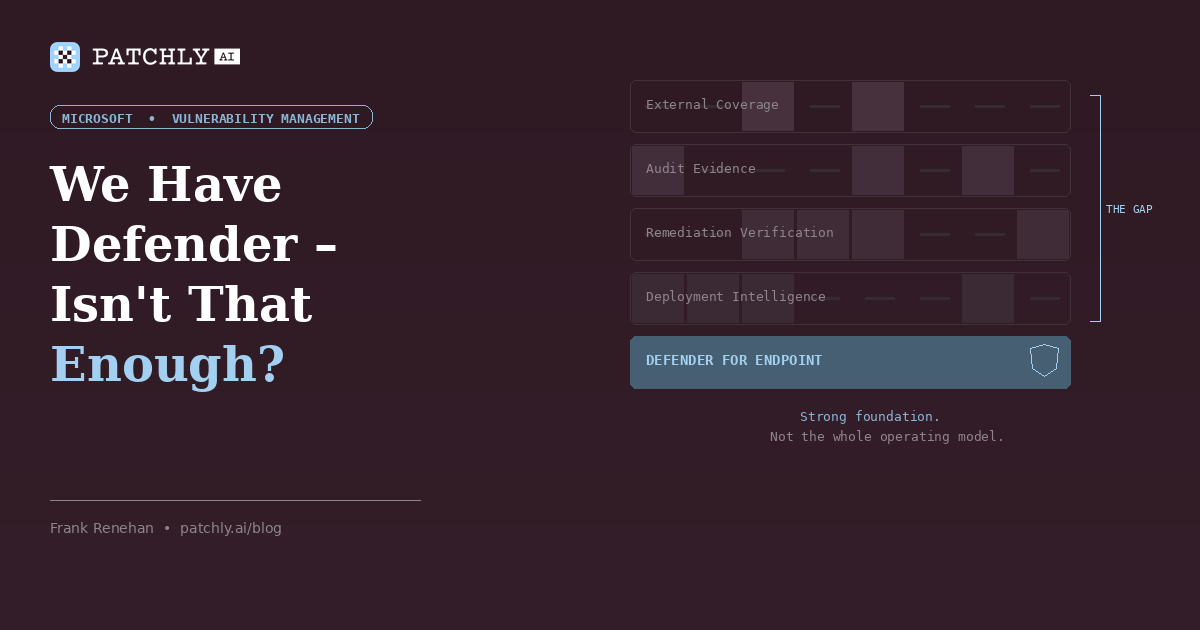
This is one of the most common questions we hear from prospective clients, and it’s a fair one. If you’re running Microsoft 365 E5 or Defender for Endpoint Plan 2, you already have real vulnerability management capability in your stack. Defender surfaces missing KBs, flags misconfigurations, assigns severity, and prioritizes recommendations.
So why would you need anything else?
Because knowing what’s vulnerable is only one part of the problem. You still need to know what’s safe to patch, whether the remediation actually worked, and how to prove progress over time. For Microsoft-heavy environments, Defender is often the right starting point. The question is what you need on top of it to run a mature program.
What Defender does well
Before explaining the gap, it’s worth being clear about what Defender does well – because we build on it, and dismissing it would be dishonest.
Asset visibility. Defender, especially alongside Intune, gives teams strong visibility into managed Microsoft devices: hardware, software, configuration state, and patch status. In Microsoft-enrolled environments, that telemetry is genuinely useful, which is one reason Patchly builds on the Microsoft management plane rather than replacing it. We covered the reasoning in Agentless Patch Management: Why We Chose Native Microsoft Integration.
Vulnerability detection. Defender Vulnerability Management identifies missing patches, known CVEs affecting installed software, and security misconfigurations. It correlates this with Microsoft’s threat intelligence to provide breach-likelihood predictions.
Exposure scoring. The Defender portal provides an exposure score and prioritized recommendations. For a quick read on overall posture, it works.
If your question is “do I know what’s vulnerable in my managed environment?” – Defender gives you a solid answer. The harder questions come next.
Gap one: prioritization without deployment context
Defender’s risk-based prioritization draws on Microsoft’s own threat intelligence and breach-likelihood predictions. That’s valuable, but it operates in a vacuum of deployment context. It can tell you a patch addresses a serious vulnerability on an exposed asset. It can’t tell you that the same update is causing application failures or rollback problems in environments like yours this week.
This is the distinction I made in the Patch Tuesday piece: there’s a difference between knowing what to patch and knowing whether it’s safe to patch it right now. A patch that’s breaking things in the real world is a different decision from one that’s deploying cleanly, and that intelligence doesn’t come from vulnerability scanning. It comes from real-world deployment outcomes, administrator community signals, and canary testing.
Defender flags the CVE. It recommends remediation. It doesn’t evaluate the operational risk of applying that remediation today versus next Tuesday. For teams managing hundreds of endpoints across production workloads, that operational context is the difference between a controlled maintenance window and an unplanned outage.
Gap two: no remediation verification
This is the gap that costs organizations the most, and it’s where Defender’s model ends and the real work begins.
Defender tells you a vulnerability exists. Your team remediates it. Defender may eventually reflect the updated state of the endpoint. But it doesn’t create a structured verification loop – there’s no scoped retest of the specific finding, no comparison against a prior baseline, and no durable record of whether the issue was resolved, persisted, or changed.
That matters most for findings that aren’t simple patch installs: exposed APIs, misconfigured authentication flows, weak cipher suites, or pen test findings that require targeted validation rather than passive endpoint telemetry. These are findings where “the scanner stopped flagging it” is not the same as “we confirmed it’s fixed.” I covered this dynamic in detail in Finding Vulnerabilities Is Easy. Proving You Fixed Them Is the Hard Part.
Gap three: no audit-ready evidence trail
Defender is strong on current-state telemetry and dashboards. What it doesn’t produce is the structured remediation-diff evidence trail that auditors, insurers, and leadership increasingly require.
An auditor or insurer isn’t just asking what the dashboard shows today. They’re asking what you identified, when it was remediated, how it was verified, and what evidence shows the control operated effectively over time.
That requires comparative data: here’s where we were, here’s where we are, here’s what improved, here’s what didn’t. Defender doesn’t generate a timestamped comparison showing that finding X was present in the January assessment and verified resolved in March. It doesn’t categorize remediation progress in a way that maps to audit requirements.
That evidence gap is where organizations end up supplementing Defender with spreadsheets – and we’ve already covered why that model doesn’t hold up.
Gap four: perimeter and external exposure
Defender’s vulnerability model is endpoint-centric. It’s strong on managed devices, but the assets most likely to surprise you are often outside that estate: forgotten subdomains, inherited portals, staging environments, campaign sites, or exposed services that never made it into the managed inventory.
We covered this in Your Attack Surface Is Bigger Than You Think. Microsoft offers separate tooling for parts of that problem, but separate tooling doesn’t automatically create a shared remediation workflow. When discovery and remediation live in different tools with different licensing, assets fall through the gap at the handoff.
Where Patchly fits
We don’t compete with Defender. We build on it.
Defender is our data layer for managed-device visibility and vulnerability context. Intune gives us inventory. Defender gives us CVE coverage and exposure signals. That’s the foundation – and it’s why our clients don’t need to deploy another agent.
What Patchly adds is the operational layer that sits on top:
Defender identifies vulnerability context on the managed endpoint. Patch Veracity adds deployment context: how similar patches are performing, whether a rollout should be held, and where human review is actually needed.
Defender surfaces the finding. Patchly Validate adds proof: retesting, comparison against prior baselines, and a durable record of what changed.
Defender covers the managed estate. Attack surface scanning closes the gap on the assets most likely to sit outside it.
The honest answer
Is Defender enough? It depends on what you’re trying to accomplish.
If your goal is basic vulnerability visibility across managed Microsoft endpoints, Defender is genuinely capable and it’s already in your license. You should be using it.
If your goal is a mature vulnerability management program, Defender is a strong foundation. It’s not the whole operating model.
That’s not a criticism of Defender. It’s an honest assessment of what endpoint telemetry can and can’t do. The vulnerability management vendors that position themselves as Defender replacements are solving the wrong problem. The ones that build on Defender and fill the operational gaps are solving the right one.
Related reading: Agentless Patch Management: Why We Chose Native Microsoft Integration | Patch Tuesday Is a Starting Gun, Not a Finish Line
Already running Defender for Endpoint? Book a 30-minute walkthrough and we’ll show you how Patchly layers on top of your existing Microsoft infrastructure – what changes, what doesn’t, and where the operational gaps close.
In this article
Want to see how Patchly works? Request a free assessment or book a demo.